Getting Started
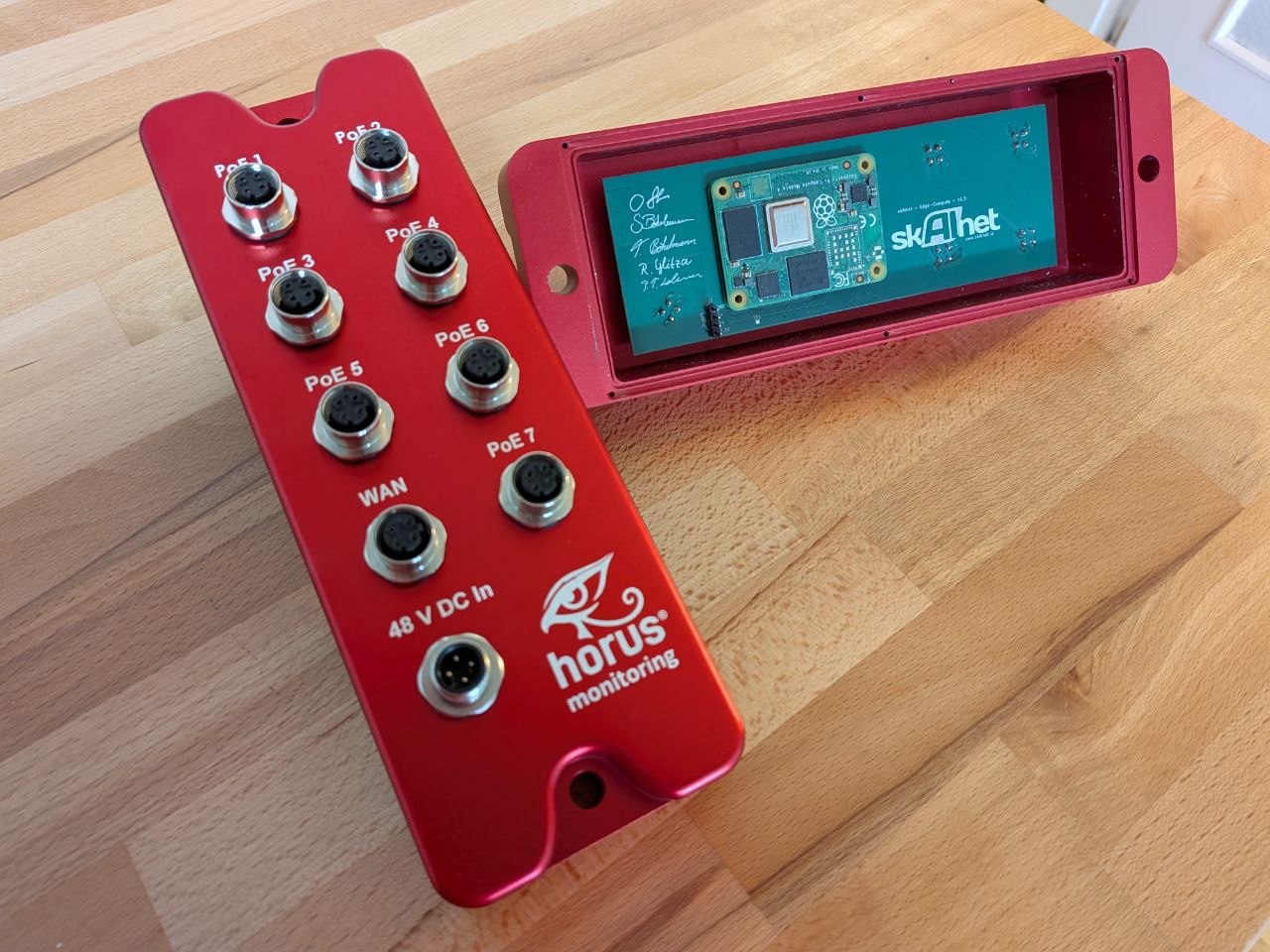
All ports are labelled on the front plate: PoE 1–7 (LAN), WAN, and 48 V DC In.
First connection
-
Connect a computer (Windows, Linux, or macOS) to any LAN port using an M12-Ethernet cable. You will obtain an IP in the range
192.168.199.100–200/24. -
Access the device via SSH:
ssh -p 22022 johndoe@192.168.199.1Default user password:
changeme443warningChange the default password on first login!
-
Switch to root:
su -Default root password:
skAInet!— must be changed immediately.
SSH configuration
- SSH login over WAN is disabled by default. To enable it, modify
/etc/ssh/sshd_config. - Password login for root over SSH is disabled by default. To allow root
SSH access, add your own
.pubkey to/root/.ssh/authorized_keys.
Manufacturer key
In addition to the password, a manufacturer public key is stored in
/root/.ssh/authorized_keys. This key allows Auto-Intern to perform remote
updates and maintenance.
- To disable this feature permanently, delete the
admin@skainetkey from that file.
caution
Deleting the manufacturer key will also disable Auto-Intern support and maintenance.